Complete interface blocks
Source you keep. Every state, both themes, and motion that makes sense.
137 items
Release readiness Pro
A launch checklist that keeps prerequisites, progress, and the final action together.
Sign up form Free
An account creation flow with field validation, password strength, and a clear completion state.
Wallet card Pro
A compact account view with balance, recent activity, and focused money actions.
Logo marquee Free
A quiet, continuously moving row of brand marks with a pause control.
Team directory Pro
Searchable people, team filters, and a focused profile panel.
Project board Pro
A living workflow board for moving work between stages.
Invoice studio Pro
An editable invoice with live totals and a clear save flow.
Plan comparison Free
Compare meaningful differences between plans and billing periods.
Availability picker Pro
Find a meeting time across people and see the choice come together.
Metrics dashboard Pro
A dense analytics view with KPI tabs, one inspectable chart, and top pages and sources.
Media player Pro
An audio player with a living playlist and complete playback controls.
Support conversation Pro
A responsive message thread with useful quick replies and live feedback.
 I
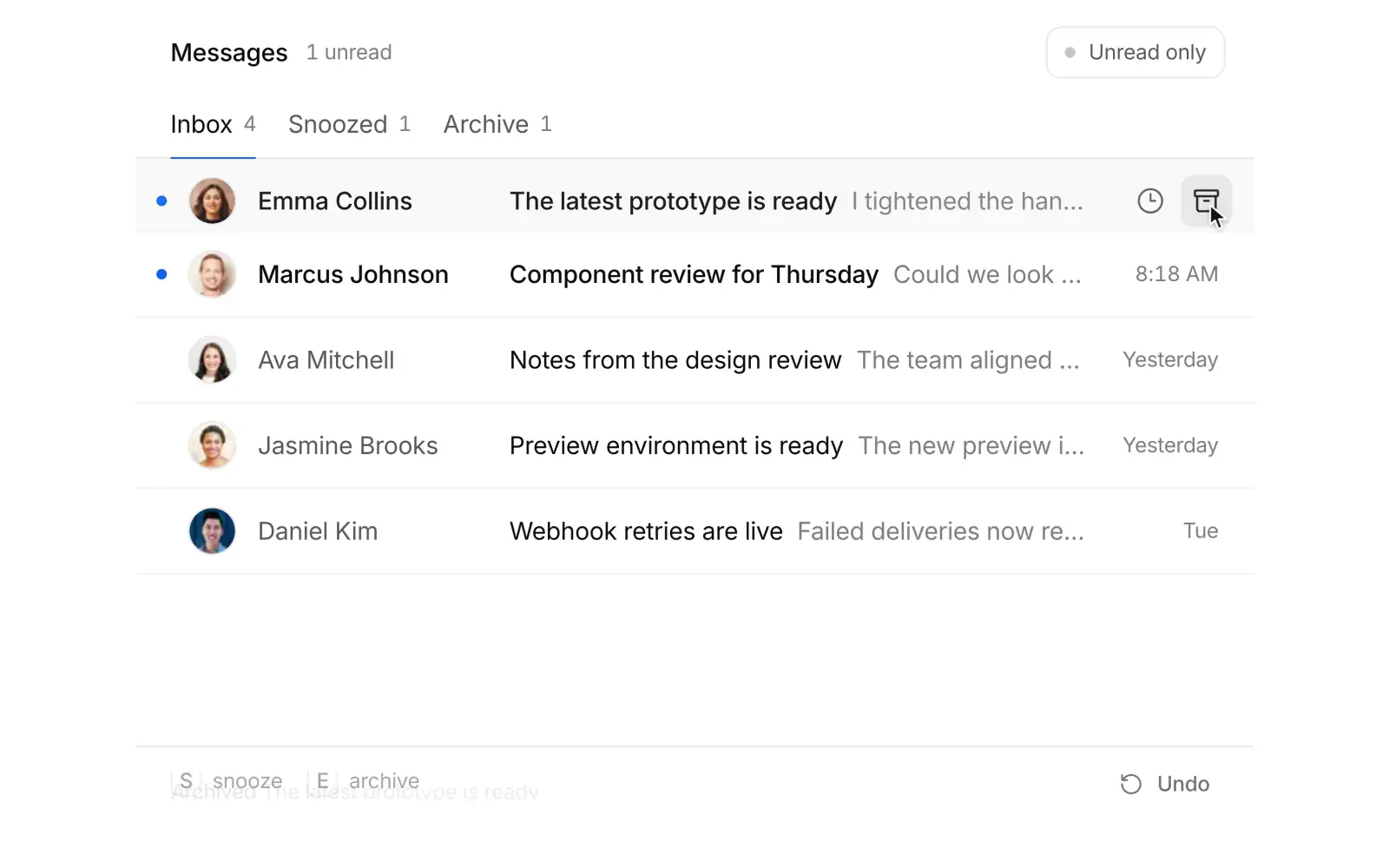
IInbox triage Pro
Process a focused inbox with archive, snooze, and restore actions.
 C
CCommand palette Free
A complete keyboard driven action surface with search, grouped results, and shortcuts.
Notification center Free
A home for updates with read state, grouped information, and animated disclosure.
Selection toolbar Pro
A contextual batch action surface that appears when items are selected.
File upload Free
A complete file selection flow with constraints, progress, and error feedback.
OTP input Free
A six digit verification flow with paste support and keyboard navigation.
Multi-step form Pro
A guided form that presents one decision at a time and preserves progress.
Team showcase Pro
An image led team introduction with profiles that open in place.
Studio perspectives Pro
Portrait led editorial stories with a focused reading state.
Changelog feed Free
Release notes you can filter, open in place, and scroll through month by month.
Usage pricing Pro
A pricing calculator that finds your plan as you drag seats and traffic.
Delivery tracker Pro
A live order tracker whose marker glides between stops while the arrival time rolls.
AI composer Pro
The prompt box at the bottom of an AI app: files upload in place, / opens commands, @ inserts mentions, a model and effort menu sits in the toolbar, and the send button turns into a stop control ringed by the reply's progress.
Sign in Free
A sign in card that morphs from email to a six digit code to your account.
Workspace sidebar Pro
A product sidebar with a workspace switcher, live search, draggable favorites, and inline projects.
Settings page Pro
Account settings with a gliding section nav and a save bar that morphs in as you edit.
Sidebar rail Pro
An app shell whose sidebar folds into an icon rail and slides in as a sheet on phones.
Onboarding illustration Pro
A compact onboarding card whose line illustration morphs from folder to files, team, and badge.
Docs sidebar Pro
A docs layout with a live filtering nav tree, version switcher, and a gliding on this page outline.
Integrations Pro
An integrations directory where Connect morphs to Connected and the filters recount as you go.
Billing overview Pro
A billing page where the plan card morphs into a picker and usage, invoices, and card follow.
API keys Pro
API key management where Create key unfolds into its form and each secret is shown once.
Inbox sidebar Pro
A mail sidebar whose Compose button grows into a composer and whose folders take dropped mail.
Team members Pro
A members list where typed emails turn into chips and fly into pending invites as seats roll.
Page header Free
A project page header that folds into a compact bar as you scroll, with tabs whose counts roll.
Revenue explorer Pro
A SaaS revenue chart you zoom with a brush while paths, axes and figures glide to the range.
Journey flow Pro
A Sankey of user journeys whose flows morph by channel and trace a cohort on hover.
Empty states Free
Four empty states in one illustration whose shapes morph between scenes as you switch tabs.
Centered login Free
A passkey-first login card on a quiet ring backdrop that morphs through email and code.
Immersive login Pro
A glass magic link card over dusk photography that folds its envelope shut once sent.
Security settings Pro
An account security page with guided two-factor setup, password change and active sessions.
Cancel flow Pro
A cancellation flow that answers each reason with a tailored offer and a calm hold-to-cancel.
Login split Pro
A full screen split login: an email-first form that morphs into a password step beside a photo.
Cohort retention Pro
A cohort retention triangle that morphs into retention curves and rewashes by segment.
Support widget Pro
An in-app help launcher that grows into live article search, reading, and a chat with your team.
Uptime status Pro
A status page with 90 day uptime bars, a morphing latency chart and an incident timeline.
Usage forecast Pro
A billing period usage chart with a forecast cone and a draggable budget that dates the crossing.
MRR waterfall Pro
An MRR bridge whose floating bars morph by period and open the accounts behind each move.
Webhooks Pro
A webhooks console with delivery history, a payload inspector and retries that roll the rate.
Roles and permissions Pro
A permissions matrix with group toggles that ripple, role duplication and a review bar.
Metric explorer Pro
KPI cards that open into a scrubbable chart and morph between metrics and ranges.
Activity terrain Pro
A 3D terrain of hourly activity you can orbit, zoom, fly into and flatten into a heatmap.
 R
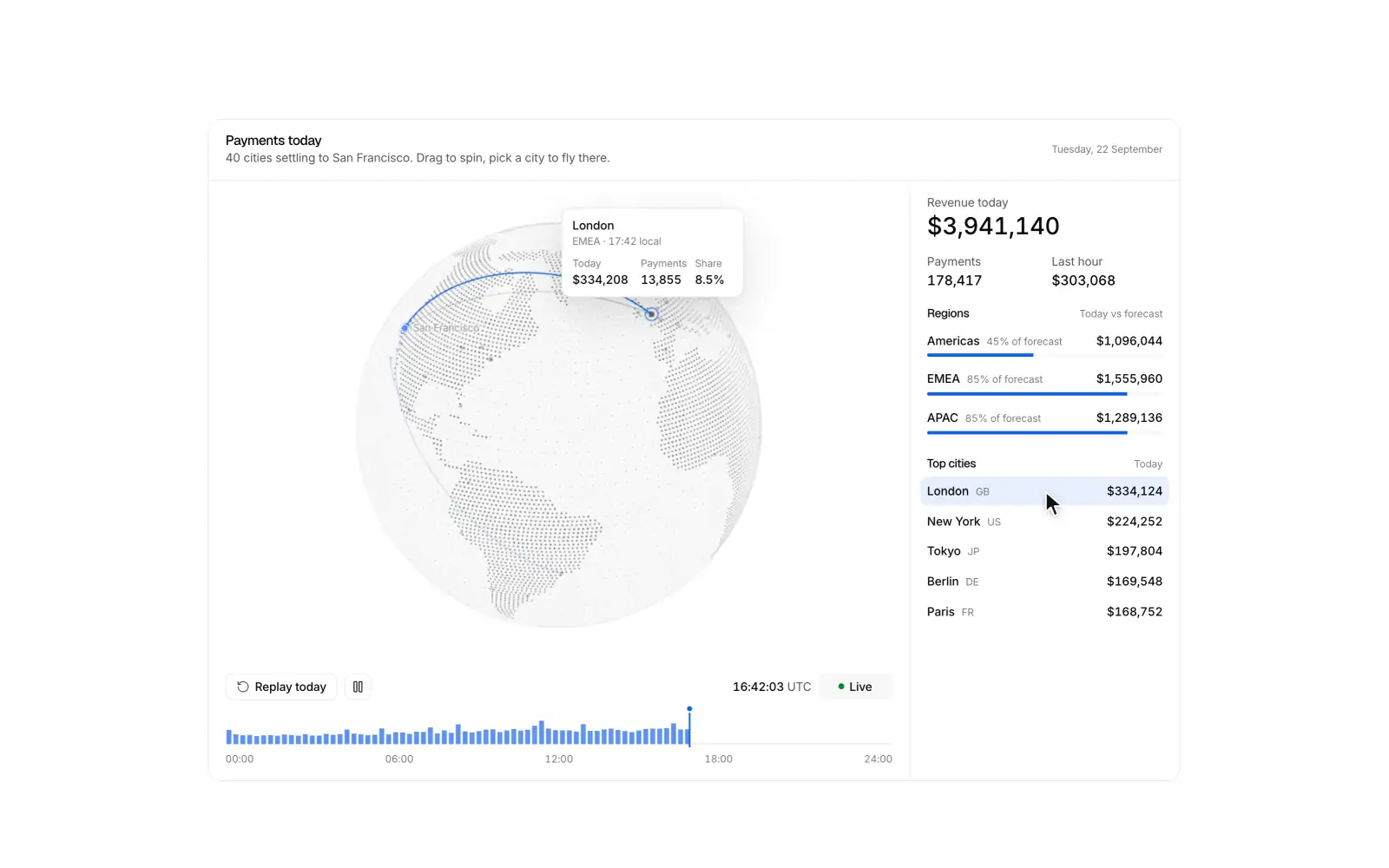
RRevenue globe Pro
A dotted globe where live payments arc home to headquarters, with a replayable day.
 C
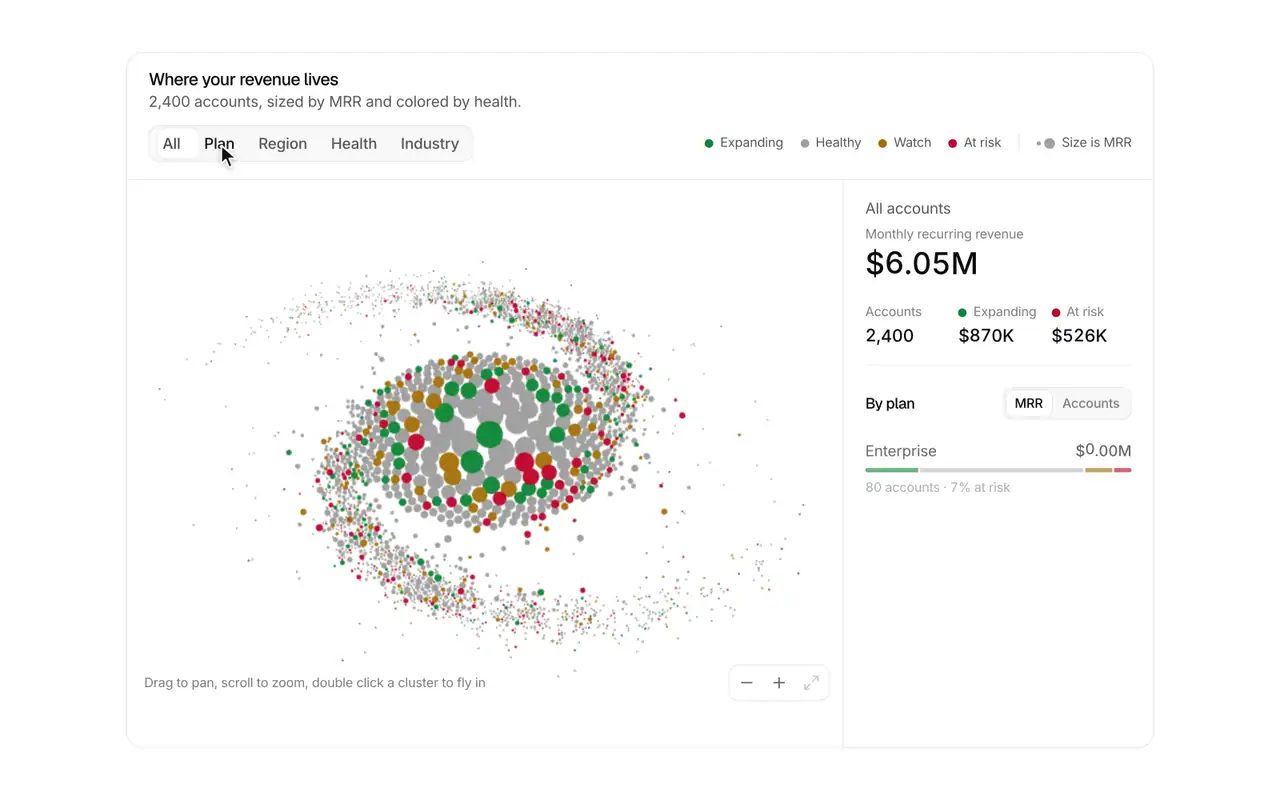
CCustomer galaxy Pro
2,400 accounts as a drifting galaxy that spirals into clusters by plan, region or health.
Semantic zoom Pro
An infinite-zoom map of a company that reveals teams, projects, tasks and people as you fly in.
 L
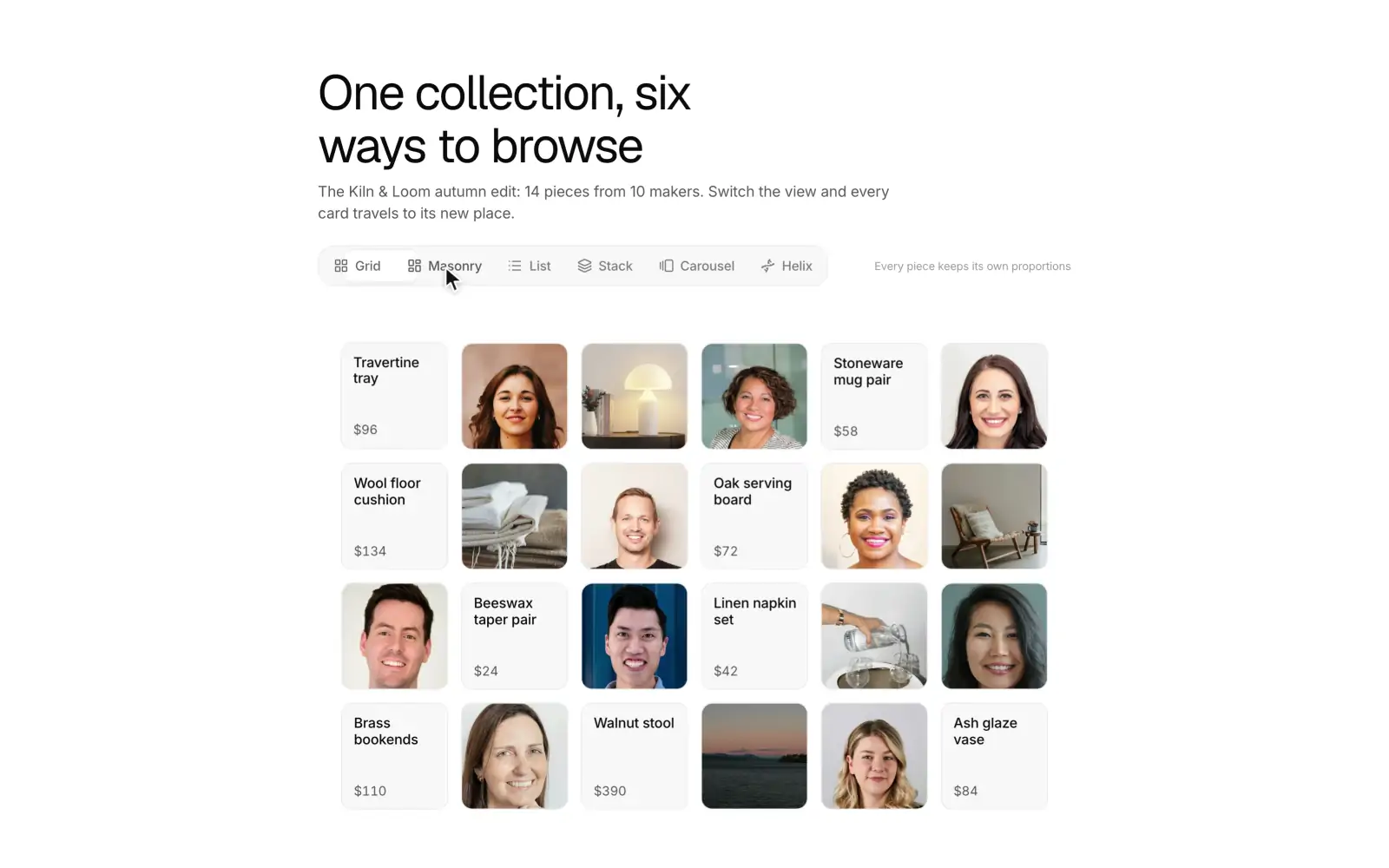
LLayout morph Pro
A 24 card gallery that flies between grid, masonry, list, fan, carousel and a 3D helix.
Agent run Pro
A single card that follows one AI coding agent through a task: steps stream in with the live one shimmering, tool calls open in place, and the agent stops on a two-file diff for you to approve or send back before it writes. When the run ends, the steps fold into one line and a result shows the files changed, the checks that passed and a pull request button.
Week calendar Pro
A week calendar where you drag to create, move, and resize events, with color coded calendars, day and agenda views, and swipes on phones.
Scroll story Pro
A feature section where scrolling the copy drives a pinned product view through each step.
Spotlight grid Pro
A feature grid where light follows the pointer, cards play live demos, and a click morphs a card into its detail.
Invite people Pro
Invite teammates with roles, bulk paste validation, a seat meter, and avatars that fly into a pending list.
Cart drawer Pro
Products fly into the cart, counts roll, and a drawer handles quantities, shipping progress, and checkout.
Pricing calculator Pro
A seat slider and billing toggle drive plan cards with rolling prices and a moving recommended badge.
 A
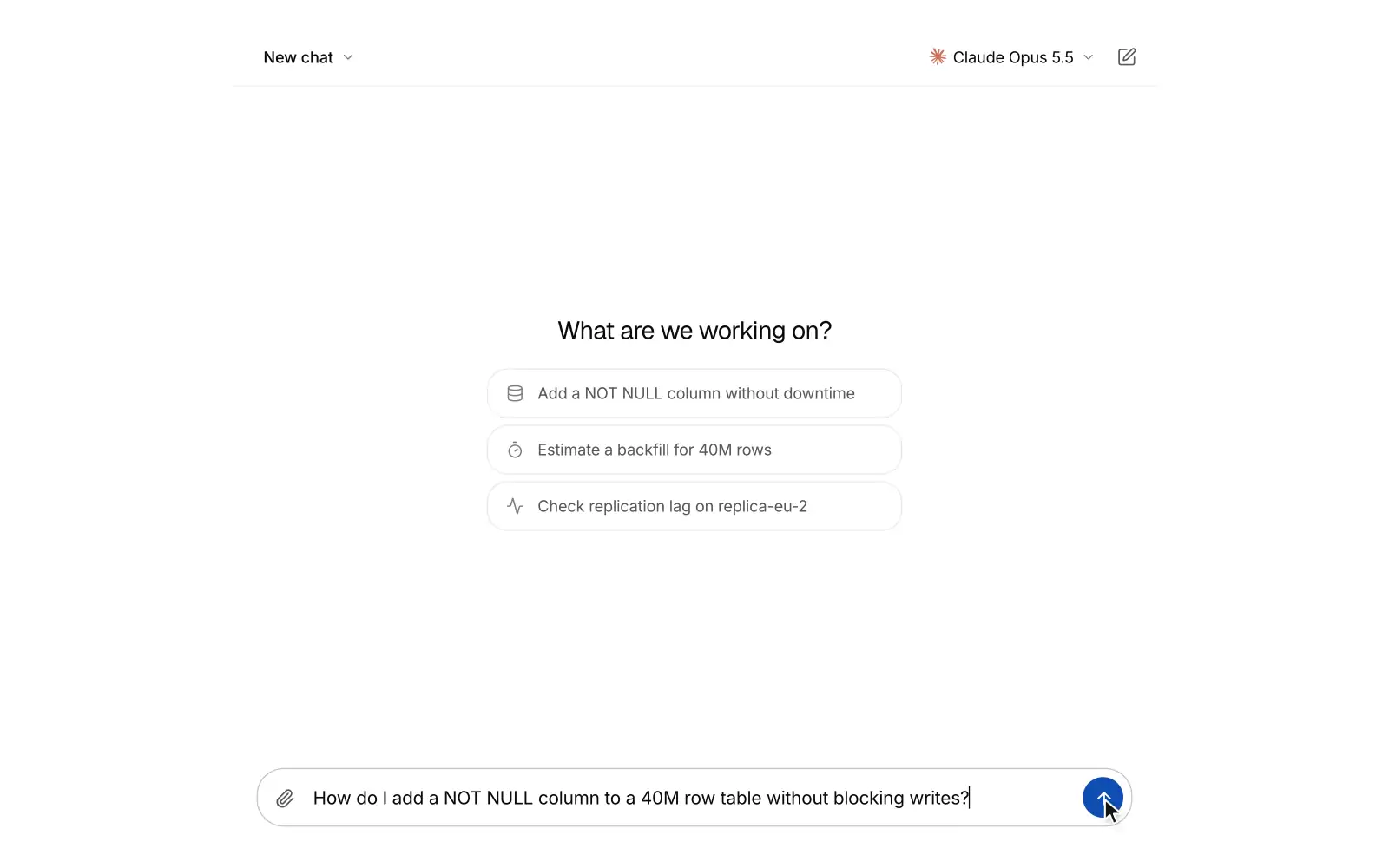
AAI chat Pro
A full-screen AI chat where answers stream in as markdown with folding reasoning, tool chips and cited sources. People can switch chats and models, edit or retry a message into versions, rate replies and stop a reply mid-stream.
Checkout summary Pro
An order summary with a promo code that becomes a chip, discount and tax lines, and pay button states.
Site header Free
A sticky website header that turns solid on scroll, with a gliding active link, mega menu panels, and a mobile sheet.
Site footer Free
A website footer with link columns and newsletter, a minimal layout, and a large fading Xzero mark.
Hero section Free
Three full screen SaaS heroes: a live dashboard rising from the bottom edge over a drifting mesh, a workflow graph that routes sample events node by node, and editorial type over a mesh gradient.
FAQ section Free
FAQs as an accordion, a topic rail, or a searchable list that highlights matches.
Contact section Free
A validated contact form that morphs into a confirmation, support channels, and office cards with local times.
 S
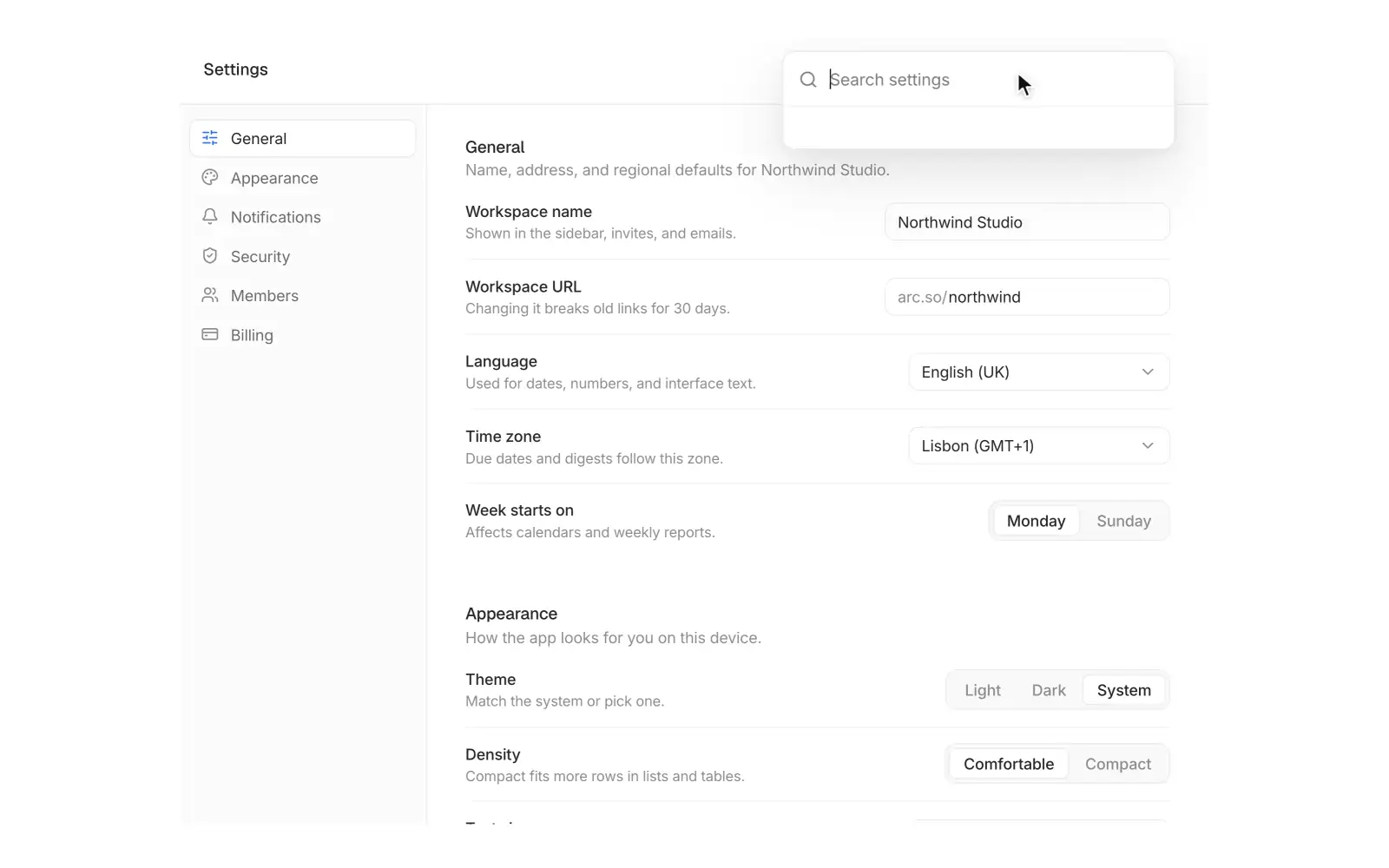
SSettings command Pro
Workspace settings where a search field grows into a palette that flies you to any setting.
 L
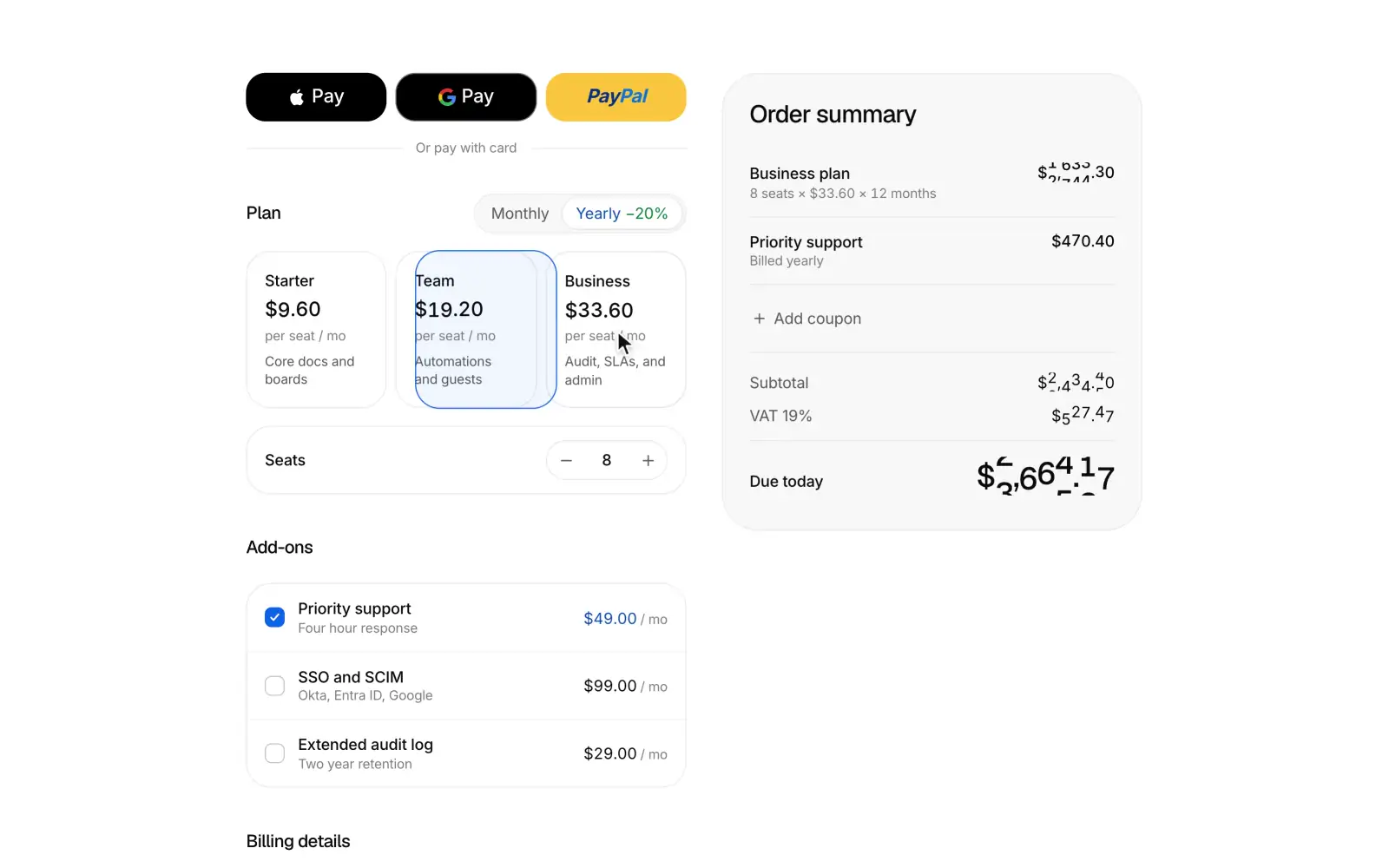
LLive checkout Pro
A subscription checkout whose summary recomputes as you edit, then glides to the centre and unfolds into a receipt.
 K
KKanban board Pro
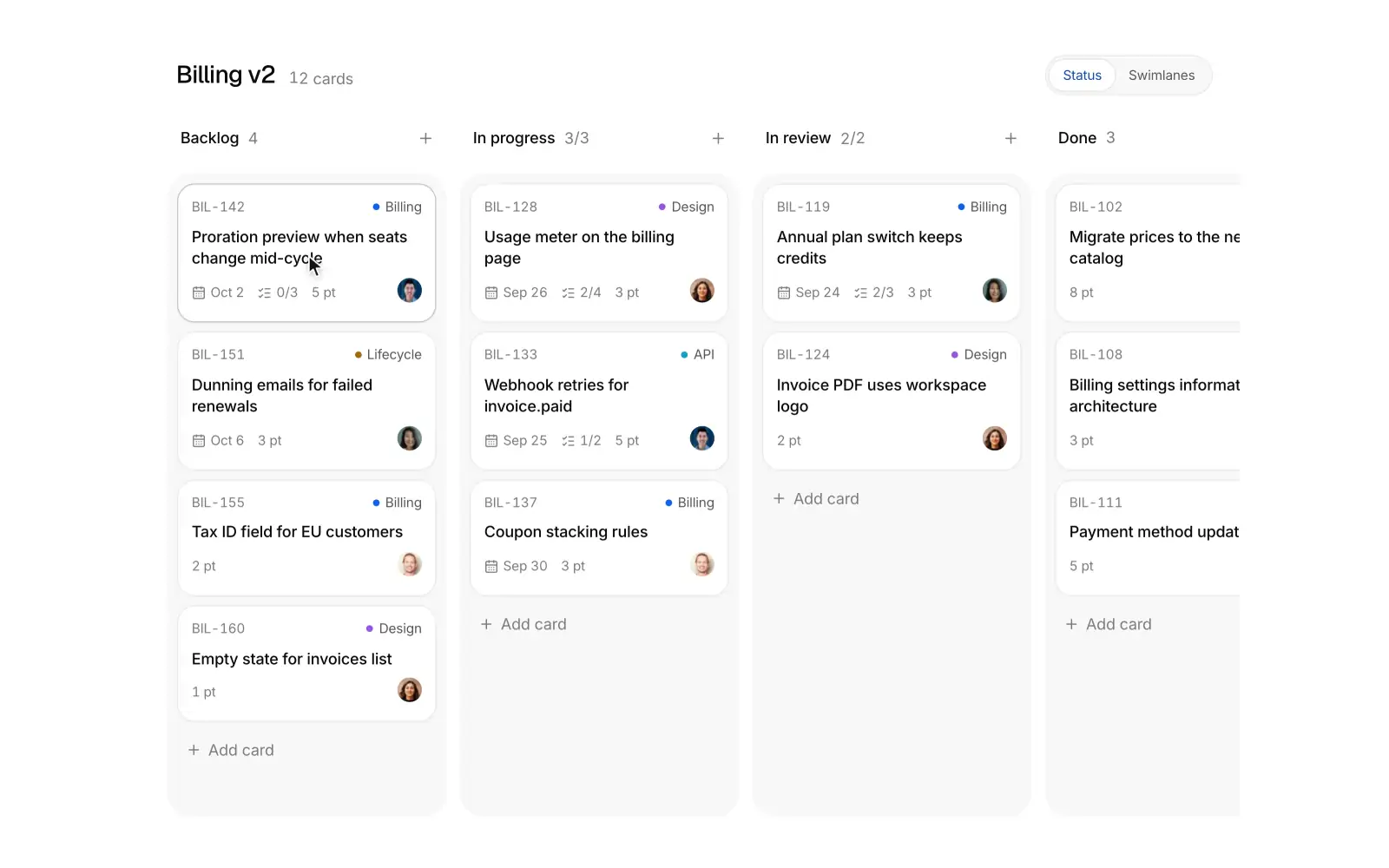
A kanban board where cards lift, tilt and spring into the slot that opens for them, with swimlanes and live WIP limits.
Usage billing Pro
A usage based billing dashboard with a projected spend line, meters against limits, alerts, and an upgrade that morphs into a confirm sheet.
Activity feed Pro
A team activity feed grouped by day on a quiet avatar timeline, with a type filter, a live new updates button, expandable details, and a mark all read sweep.
AI side panel Pro
An assistant docked beside a page that reads it and edits it: ask about the page or a selected passage, review each edit as a word diff, and apply it with a tint sweep on the page and one-click undo.
Research run Pro
Deep research that plans searches, reads sources with their marks, and streams a cited answer where every chip lights up the sentence it supports.
KPI drilldown Pro
KPI cards that expand into a full detail chart with period comparison and a breakdown table, then fold back.
Blog grid Free
A blog index with a featured post, category filter, post cards, pagination and an in-place reader.
Comparison table Free
An us versus them table with a sticky header, a highlighted column, and a stacked phone view.
Feature bento Pro
A six cell feature bento where small, real product UI acts each feature out on hover.
Stats band Free
Headline numbers that count up in view, each with a tiny visual that proves it and a context line on hover, plain or in a hairline grid.
CTA section Free
A call to action as a centered closing section, a split beside a setup card that completes itself, or a dismissible banner.
Newsletter signup Free
An email signup framed by a stack of past issues; subscribing drops the next issue, addressed to you, onto the front.
Product listing Pro
A storefront grid with price, color and size filters, a sort menu, hover photo swaps, and quick add with a size row.
Product detail Pro
A product page with a swipeable gallery, finish and size variants, add to bag that confirms in place, shipping, a reviews summary, and details.
Feedback board Pro
A feature request board with a submit form that finds similar requests, upvotes, top and new sorting, status filters, and comments.
Profile page Pro
A user profile with cover, bio, stats, activity and project tabs, and an edit sheet that writes back into the page.
Help center Pro
A help center with instant search, topic cards, and popular articles that open into a readable article with an outline and feedback.
Hero signup Pro
A full screen waitlist hero on a soft, drifting mesh gradient: the email field validates as you type and its button grows into the confirmation with your place in line.
Search results Pro
A faceted workspace search page with suggestions, facet counts that follow the query, filter chips, mixed doc, person and file results with highlighted matches, a gliding keyboard cursor and a preview pane.
Environment variables Pro
An environment variables and secrets manager with masked values, per-environment scope toggles, .env paste import with duplicate and invalid key warnings, write-only sensitive values, an environment diff by fingerprint, and a redeploy banner.
Market terminal Pro
A trading terminal with a canvas candlestick chart, volume, moving averages, crosshair OHLC readout, wheel, drag and pinch zoom, a live watchlist with sparklines and flashing prices, and a market and limit order ticket.
Budget variance Pro
Budget against actual operating spend by department as aligned bullet charts, with favorable and unfavorable variance, a month, quarter and year to date switch that springs every bar, in-place drill-down into budget lines, and a total row.
 C
CChoropleth explorer Pro
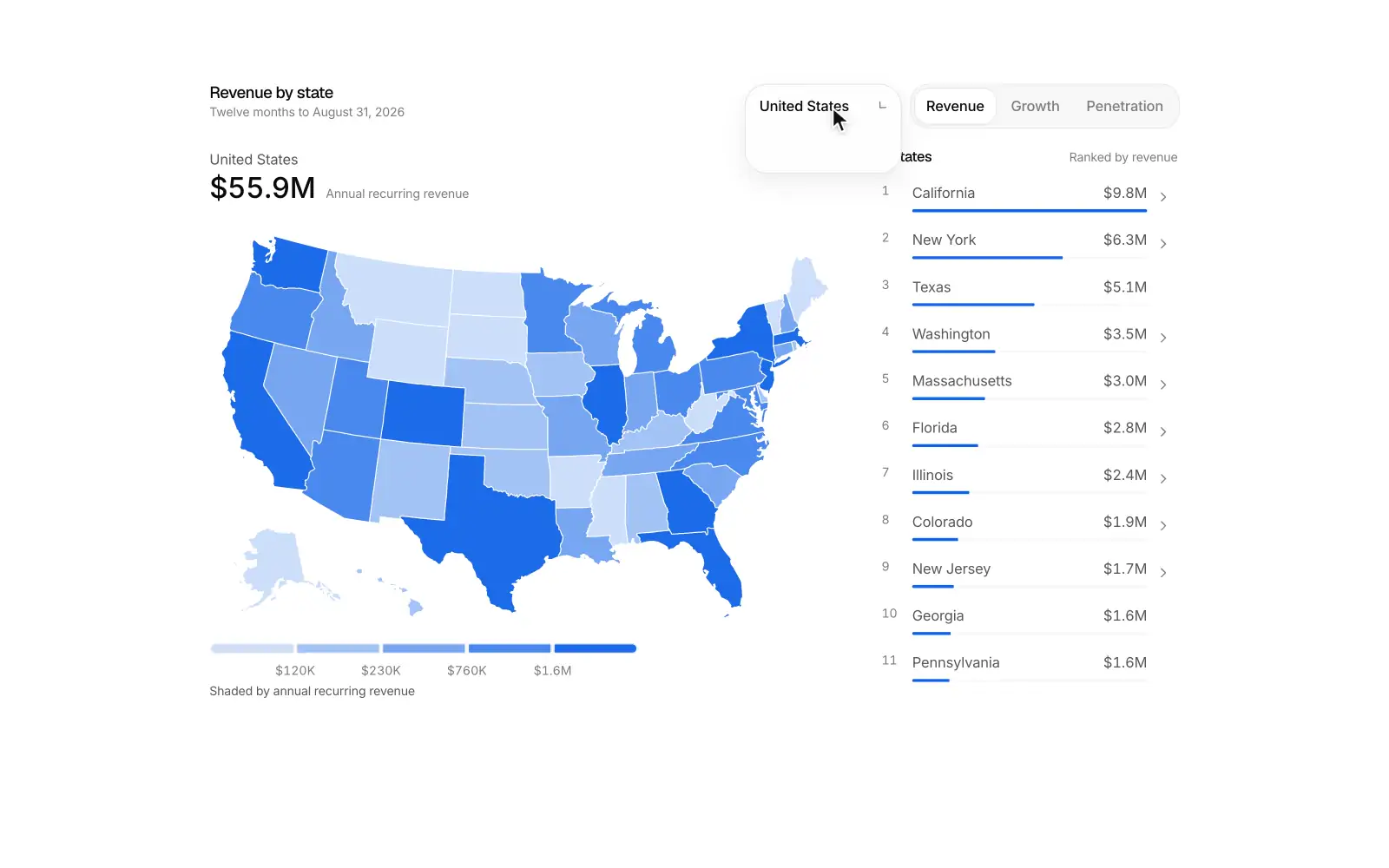
A filled-region map that shades every state or region by revenue, growth or penetration on a stepped scale, with a country switch (United States, Canada, Brazil, United Kingdom, France, Germany, Italy, Australia), a hoverable legend, a synced ranked list and a camera zoom into local detail.
Small multiples Pro
A trellis of small line charts that reads as one chart, with a synced crosshair, a shared or independent y scale that springs the axes, sorting with a FLIP reorder, a ghost of the overall total behind every panel and dimming for flat trends.
Connected scatter Pro
A connected scatterplot of monthly CAC against LTV where the path draws itself in, a scrubber moves a head along the curve, and a channel switch morphs the path against a shaded 3x target line.
 H
HHorizon chart Pro
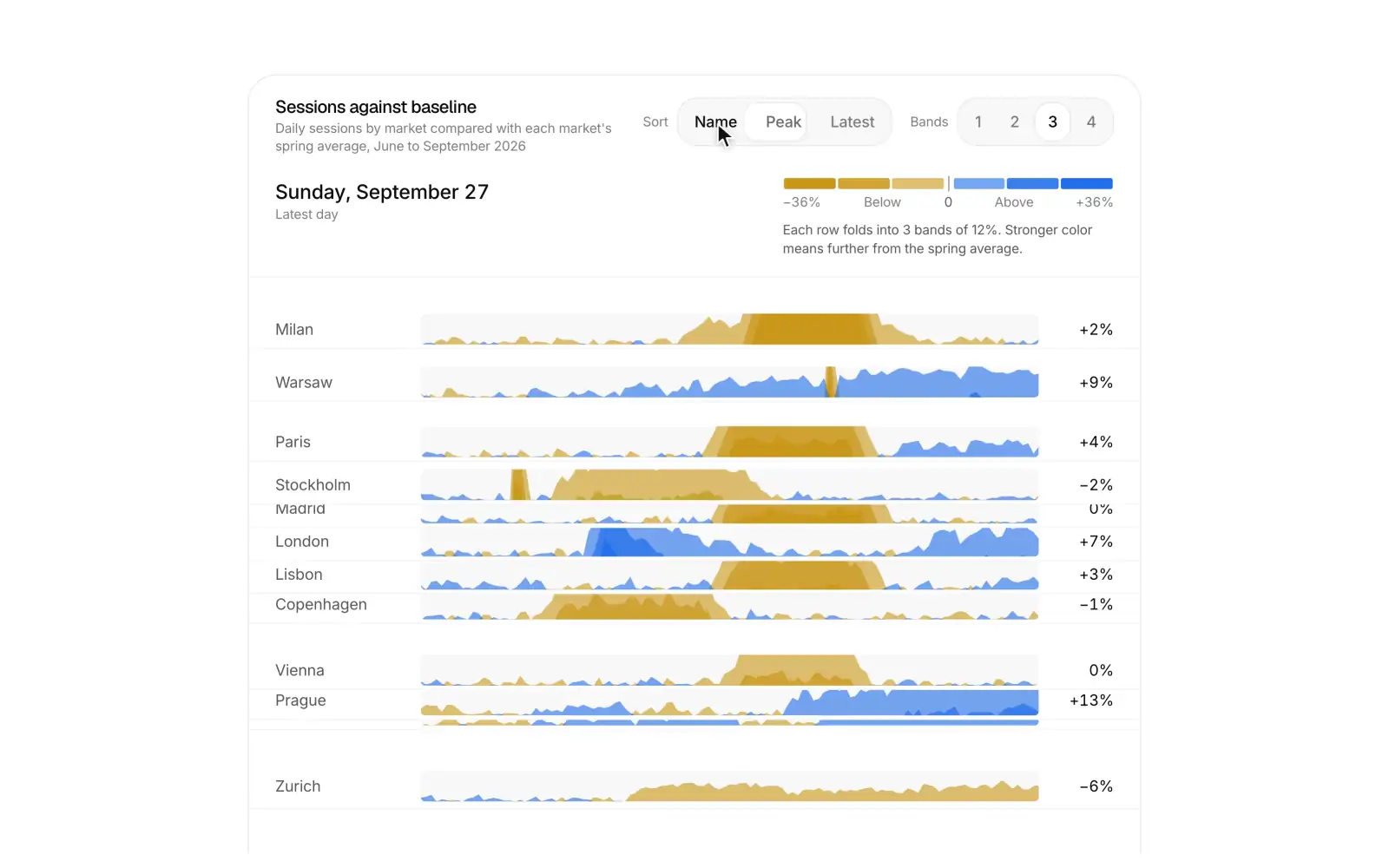
A horizon chart that stacks fourteen daily series as compact folded rows, with a synced crosshair, a sort by name, peak or latest, a band count setting that folds every row on one spring, and a legend that explains how to read the bands.
Line replay Pro
A time replay line chart that draws a day of traffic with a moving playhead, a value label on the tip, a scrubber, speed control and key moments annotated as the playhead passes them.
Exploded view Pro
A scroll driven exploded view where a live phone screen built from five CSS 3D layers lies back, separates in depth with labels that follow each layer, takes each layer into focus, and then reassembles.
AI answer Pro
One AI answer set like a clean article: it thinks, shows its sources as small cards with colored marks, and streams a formatted answer where every citation lights the sentence it supports. Copy, regenerate with options, rate, share, page through versions and ask a related question in place.
Model picker Pro
A model picker in one quiet pill: open it to choose from featured models with a one line note each, set the reasoning effort, or browse every other model by provider, and the pill swaps to your choice in place.
Model arena Pro
A blind side by side model comparison in one card: send one prompt to two models, watch both answers stream at the same pace, vote for the better one, then reveal which model wrote each.
Prompt studio Pro
One card for editing, testing and shipping a prompt template: variables as chips with sample values, a test run against the chosen model, and versions you can compare and promote to production.
Document extraction Pro
Turns a document into typed data with a model and shows where every value came from: fields fill in as the page is read, and hovering a value lights its source on the PDF.
Agent memory Pro
One card for what an assistant remembers about you: filter and search memories, edit or forget one in place, and turn saved memories and chat history on or off.
Agent tasks Pro
A home for background coding agents: start a task on a repository and branch, watch each card move from queued to running to ready for review, and open a pull request from the result.
Agent approvals Pro
One approval card for agents: the waiting tool call reads like a permission prompt with the tool's mark, the agent's reason and its arguments, and you approve, deny or allow it from now on.
Agent routines Pro
Scheduled agents in one card: each routine reads as a sentence with its schedule, next run countdown, connectors and destination, and opens smoothly to edit or run it now.
Agent orchestrator Pro
A lead agent splits a goal into a plan, fans the subtasks out to parallel worker lanes and merges what comes back, with each lane's model, progress and result in view.
MCP servers Pro
Manage the MCP servers that give an agent its tools: see what the enabled tools cost in context, connect or pause a server, and switch single tools on or off.
Knowledge base Pro
A retrieval knowledge base in one card: add sources and watch them parse, chunk, embed and index, then test a question and see which chunks come back and why.
Eval suite Pro
Run an evaluation suite on a new version of an LLM feature against its baseline: results stream in case by case, and regressions and fixes are called out with the cases behind them.
Agent builder Pro
A card for setting up an AI agent: an inline editable name, a model picker, instructions, tool toggles with real app marks, and knowledge files with upload progress. A Configure / Test switch opens a compact chat that answers with the tools you turned on, and Publish ships the setup with a saved or unsaved state.
AI insight card Pro
A KPI card that explains itself. Explain streams a short reason for the change and ranks three drivers with contribution bars. A numbered annotation lights up on the sparkline as each driver is read, and follow-up chips ask the next question in place.
Catch up Pro
A catch me up digest for when you return, where one button reads Slack, Linear, GitHub and Gmail for the range you pick and streams back a short ranked summary: Needs you, Decisions made, Shipped and FYI. Each item is one sentence with its source mark, people and a jump link, and marking items as read clears them with a smooth collapse.
Agent gallery Pro
A marketplace card of AI agent templates where you filter by team, search by agent or app, preview a sample run and install an agent inline: choose a workspace, grant access app by app, and the card confirms with a check.
AI feature launch Pro
An in-product launch card for an AI feature. A looping mini demo plays above a three-step tour (inline rewrite, thread summary, ask your workspace), with benefit rows, an admin-gated "Enable for my workspace" switch, and Try it now and Learn more actions.
AI search bar Pro
A search card for an app or docs, where typing lists grouped results right away (Docs, Customers, Issues) and pressing Tab streams a short AI answer on top. The answer's numbered citations point to the results below it.
AI setup wizard Pro
A three-step setup card for turning on an AI feature. You connect Notion, Google Drive, Confluence or Zendesk and watch each one sync. Then you pick the model, tone and guardrails, and ask a test question whose answer streams with numbered citations before you go live.
Smart scheduler Pro
A scheduling card where one sentence like "Find 30 min with Maya and Leo next week, mornings" is read into chips. The three best slots are then ranked across everyone's Google Calendar and Outlook calendars, with an availability strip per person and conflicts called out. Picking a slot opens a draft invite with a Google Meet link, ready to send.
Task breakdown Pro
A goal input where AI breaks one sentence into a plan: tasks stream in with estimates, owners and dependencies, and a live timeline shows whether the deadline holds. Reorder, edit or regenerate any task, then send the plan to Linear or Jira with progress for each issue and links.
Call insights Pro
A sales call insights card where talk time, flagged pricing, competitor and objection moments, an AI summary and owned next steps sit in one view. Selecting a moment plays its quote, and checking off next steps lowers the deal risk.
Lead scoring Pro
A lead scoring card where inbound B2B leads are ranked by an AI fit score, each with a score ring and a one-line reason. Open a lead to see its signals and score breakdown, then push it to HubSpot or Salesforce.
Domain verify Pro
A custom domain setup card where customers add a domain and copy the DNS records. A live checker then polls resolvers, marks each record valid, not found or misconfigured with a one-line fix, and finishes with the domain verified and the SSL certificate issued.
Two-factor setup Pro
A two-factor setup card where you scan a real, working authenticator QR code, type the 6-digit code into slots that move to the next box on their own, and save your backup codes before it turns on. Every step shares one fixed-size card, so it moves between steps with a short slide and never changes size.
Onboarding survey Pro
A post-signup onboarding survey where each question gets its own step of large option cards, picked with keys 1 to 4 and Enter. A short personalization checklist then ticks off and lands on an editable "You're all set" summary.
Webhook tester Pro
A developer webhook tester where you pick an event, edit its JSON payload and send a signed test event. You watch it go from signed to sent to 200 OK in 184 ms, then read the response body, headers and exact request, and retry failed deliveries from a recent list.
Seat manager Pro
A team seats and billing card where avatars and a seat meter show members, invites and open seats against what you pay for, a stepper rolls the prorated charge for today and the new monthly total live, and changes go through a confirm step before anyone is charged. Pending invites can be resent or revoked with undo, and when every seat is taken the card says so and offers to add one.
Account health Pro
A customer success card where a health score gauge, a renewal countdown and five sourced signals with sparklines lead into an AI risk summary and one recommended next step, like scheduling a QBR before usage slips further.
Magic link Pro
A passwordless sign in card where an email with inline validation and typo fixes sends a magic link, and the card crossfades in place to a check your inbox step with a sealing envelope, Gmail and Outlook shortcuts and a resend countdown. Google and GitHub sign in sit above, with their real marks.
Feature voting Pro
A public feature request board where votes roll digit by digit and the button fills with the accent. Top, New and Trending reorder the rows with one smooth move. A built-in composer suggests similar requests as you type, so people vote instead of posting duplicates.
Credit top-up Pro
A card for buying AI credits. It shows the balance with a 14 day usage chart and how many days are left, three preset packs with bonus badges, a custom amount slider with a live price, auto top-up with a threshold and the saved Visa or Mastercard. When you buy, the new balance rolls in like an odometer.
Goal tracker Pro
A team goals card where objectives open into key results with owners, confidence and progress bars. A weekly check-in updates a value, confidence and note in place, fills the bar and recalculates the objective, and a quarter selector steps from last quarter's final scores to next quarter's planning.
Spend alert Pro
A budget and spend alert card where the threshold is set right on the live spend bar, with forecast, Email, Slack and PagerDuty toggles, a hard stop and a live preview of the Slack message the alert will post.